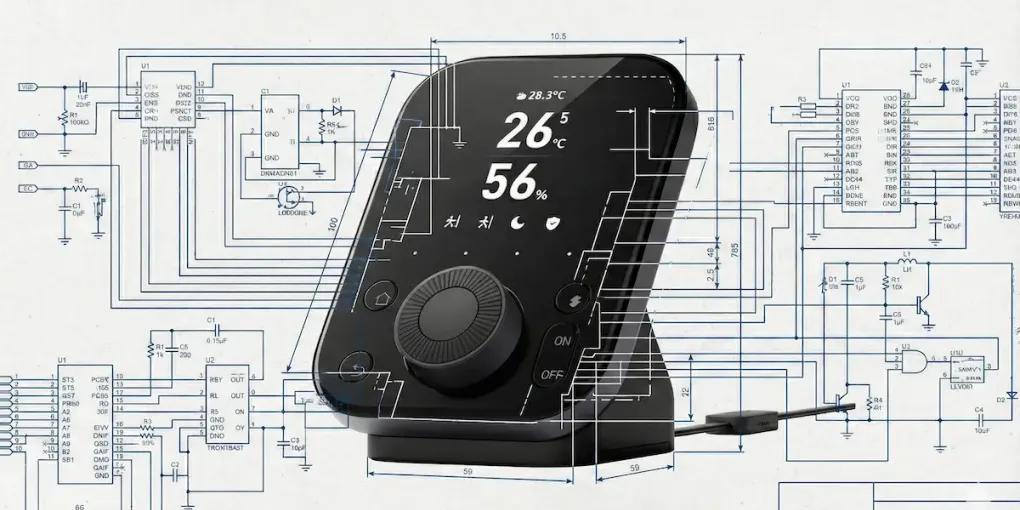
In the fast-paced world of IoT, a few years can feel like a lifetime. The SwitchBot Hub 2 was a pivotal device when it first arrived. It solved the “smart home heat problem” by boldly moving the temperature sensor into the power cable and acting as our first real bridge to the Matter ecosystem.
But now, the landscape has evolved. With the arrival of the SwitchBot Hub 3, the company is trying to do something more ambitious: create a central “Matter Controller” for your home.
As an embedded engineer, I look at hardware differently. I don’t just care about what a device does; I care about how it’s built. Even without physically tearing down the unit, a close examination of its technical specifications, FCC filings, and the evolution of the Espressif chipset lineup reveals a fascinating story.
Here is my technical analysis of the SwitchBot Hub 3 and why it represents a shift in engineering philosophy.
The Brain: Why the SoC Choice Defines Performance
The most significant visible change in the Hub 3 is the addition of a responsive touch screen and enhanced local automation capabilities. This hardware requirement dictates the choice of the System on Chip (SoC).
In the previous generation (Hub 2), a standard MCU with Wi-Fi/BLE capabilities was sufficient. Its job was simple: receive a Bluetooth packet, repackage it, and send it over Wi-Fi.
The Likely Candidate: Espressif ESP32-S3
However, the Hub 3 requires significantly more horsepower. From an engineering standpoint, the Espressif ESP32-S3 is the most logical candidate for this device.
-
Display Capabilities: Unlike the ESP32-C series (which is often used for simple bulbs or plugs), the S3 features a dedicated parallel RGB interface and enough internal SRAM to handle frame buffers. This is critical for driving the new IPS display without the “tearing” or lag often seen in cheaper hubs.
-
AI Instructions: The S3 includes vector instructions for accelerating AI workloads. While the Hub 3 isn’t running ChatGPT, it likely uses lightweight edge AI for gesture recognition or interpreting usage patterns locally.
Engineering Insight: If SwitchBot had stuck with the older chips used in the Hub 2, the touch interface would feel sluggish. The move to a higher-tier SoC isn’t just for specs; it’s necessary for the User Experience (UX).
Thermal Engineering: The “Cable Sensor” Debate
One design choice that has carried over from the Hub 2 is the temperature and humidity sensor embedded in the power cable. I’ve seen many users on forums asking, “Why didn’t they put it back inside the main body for a cleaner look?”
As an engineer, I can tell you: Keeping it in the cable is the correct engineering decision.
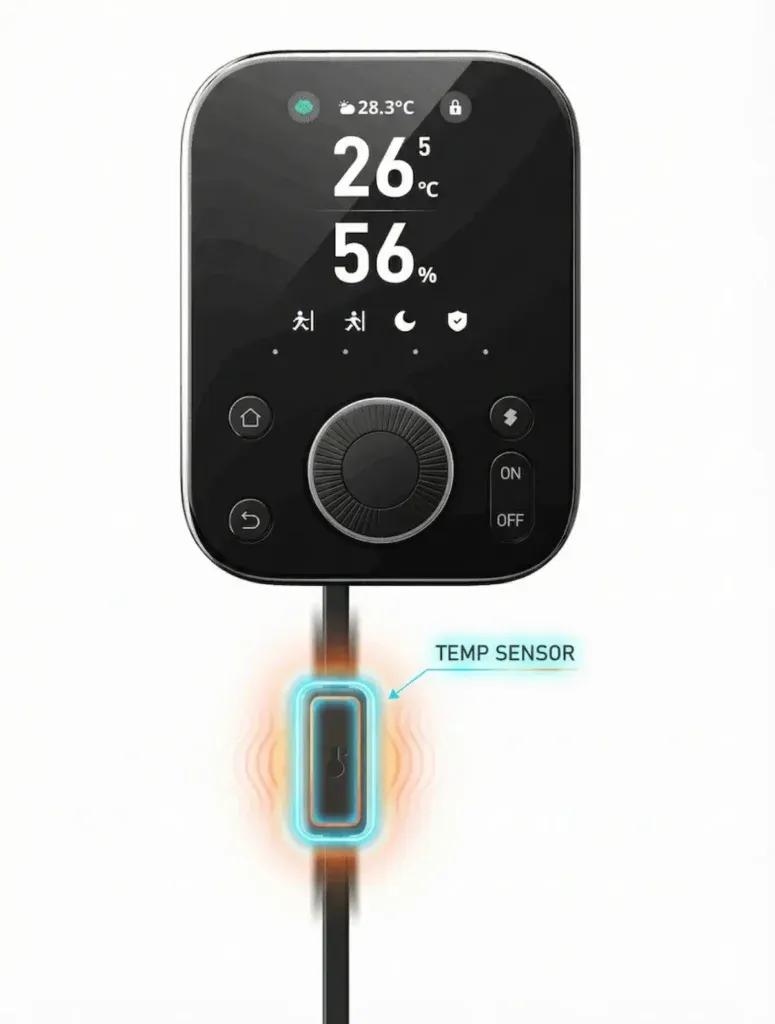
Separating the sensor from the main body (Source: SwitchBot) prevents heat from the SoC from affecting temperature readings.
The Physics of Heat Dissipation
Any device acting as a Matter Controller (constantly maintaining Wi-Fi connections, updating the display, and processing logic) generates heat. This is unavoidable physics.
-
Self-Heating: The SoC and the power management ICs (PMIC) create a “thermal envelope” around the device.
-
The Drift Problem: If the sensor were placed inside the chassis, even with air gaps, the reading would consistently drift +2°C to +3°C higher than the ambient room temperature.
-
Software Compensation Failures: Manufacturers often try to fix this with software offsets (e.g., “subtract 2 degrees”). However, this fails because the heat load varies. When the Hub is downloading a firmware update, it gets hotter. When it’s idle, it cools down. A static offset cannot fix a dynamic variable.
By physically isolating the sensor in the cable, SwitchBot decouples the measurement from the heat source entirely. It prioritizes data accuracy over aesthetics, a philosophy I strongly support.
Maintaining the sensor in the cable is a design philosophy carried over from the previous generation. As we discussed in our [SwitchBot Hub 2 Teardown], physically separating the sensor is the only way to master thermal isolation.
Evolution: From Bridge to Controller
The terminology change from “Hub” to “Controller” in this latest generation is significant and hints at the memory architecture.
-
Hub 2 (The Bridge): Its main job was translation. It took SwitchBot’s proprietary Bluetooth packets and translated them into Matter over Wi-Fi. It was a “pass-through” device.
-
Hub 3 (The Controller): This device is designed to manage the logic of your home.
This shift implies a massive upgrade in RAM and Flash memory. To store complex automation scenes locally (Edge Computing) and execute them without cloud latency, the device likely utilizes the larger memory addressable space of the newer SoC architecture.
Why this matters for you:
When you set up an automation like “When the door opens, turn on the lights,” the Hub 3 can likely process this rule on-device. This means your lights turn on instantly, and crucially, they still work even if your internet connection goes down. This is the promise of Edge Computing.
As a Matter Controller, the Hub 3 becomes the reliable backbone for critical devices. For instance, when paired with the SwitchBot Lock Pro (which I praised for its mechanical pragmatism), the Hub 3 ensures that status updates are instant and local.
The Current Matter Landscape
Why launch this device now? The Matter standard has matured. In the early days, “Multi-Admin” was buggy, and Thread networks were unstable.
The SwitchBot Hub 3 enters a market where users demand stability. By focusing on a robust Wi-Fi 6 connection (likely provided by the S3 or C6 chipsets) rather than trying to be a “do-it-all” Thread Border Router with weak antennas, SwitchBot seems to be positioning this device as the “Control Panel” of the ecosystem. It aggregates data and provides a visual interface, leaving the heavy Thread routing to dedicated border routers like the Apple TV or HomePod.
Spec Analysis: Hub 2 vs Hub 3
Based on the architectural changes and market positioning, here is how the two generations compare technically.
| Feature | SwitchBot Hub 2 | SwitchBot Hub 3 | Engineering Insight |
|---|---|---|---|
| Primary Role | Matter Bridge | Matter Controller | Hub 3 moves logic from cloud to edge. |
| Processing | Standard MCU | High-Perf SoC (Predicted) | Needed for Display & Local Logic. |
| Display | LED Matrix | Touch Interface | Requires dedicated display driver hardware. |
| Sensor Location | In Cable | In Cable | Best implementation for thermal isolation. |
| Connectivity | Wi-Fi + BLE | Wi-Fi 6 + BLE | Improved network congestion handling. |
Should You Upgrade?
The SwitchBot Hub 3 represents a maturity in IoT hardware design. It moves away from being a simple adapter and steps into the role of a home server.
You should consider the Hub 3 if:
-
You want local control of your automations for speed and privacy.
-
You need a visual interface for your smart home without using your phone.
-
You appreciate the data accuracy of the external cable sensor.
You should stick with Hub 2 if:
-
You only need to bridge a few SwitchBot Curtains or Bots to HomeKit.
-
You prefer the simpler, “invisible” nature of the LED matrix display.
From an engineering perspective, the Hub 3 is a robust platform. It might not look radically different on the outside, but the architectural changes on the inside—specifically the move to a high-performance SoC and the focus on Edge execution—make it a worthy successor.