Let’s be honest for a second. If your only goal is to change the color of your room to “Gaming Purple,” you don’t need to spend $20 on a light bulb. You can go to AliExpress and buy a 4-pack of generic Tuya Wi-Fi bulbs for $15. They work fine… until they don’t.
But if you are building a serious Matter smart home in 2026, you need to stop looking at light bulbs as simple appliances. You need to start treating them as network nodes.
This is an analysis of the Nanoleaf Essentials Matter (A19) assembled from public material: the silicon vendor’s datasheets, the Thread specification, and third-party lab measurements. As a firmware engineer, here is what that published record says about why this hardware is the backbone of a stable smart home, despite the premium price tag.
1. The Brain Transplant: From Nordic to Silicon Labs
There is a massive misconception circulating in older reviews. The original Nanoleaf Essentials (HomeKit version) ran on a Nordic Semiconductor chip. It was a great chip. However, for the Matter-enabled version, Nanoleaf made a strategic switch that many people missed.
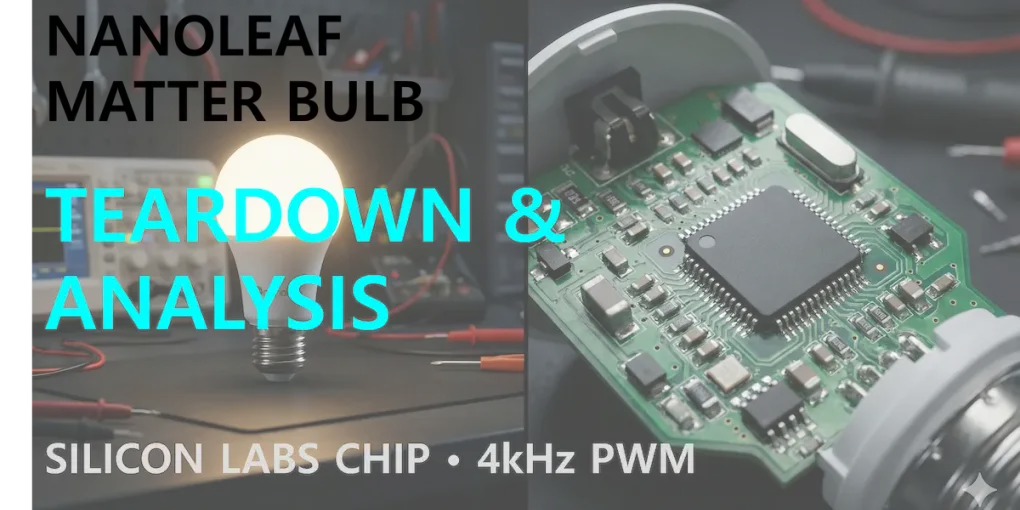
They upgraded the SoC (System on Chip) to the Silicon Labs EFR32MG24 (MG24) series.
Why does an engineer care about this change? Low-cost IoT bulbs often use generic, underpowered microcontrollers that struggle when network traffic gets heavy. This is why your cheap bulbs show “No Response” in the Google Home app. The Silicon Labs MG24 is a beast. It is purpose-built for Matter over Thread, with massive Flash and RAM overhead to handle IPv6 encryption and mesh routing simultaneously.
That headroom is the whole point. Silicon Labs specs the MG24 with enough Flash and RAM to carry the Matter stack, IPv6 encryption and Thread mesh routing at the same time — the exact combination that makes an underpowered microcontroller stall once network traffic picks up. When you pay the extra money, you aren’t paying for the plastic; you are paying for this industrial-grade silicon.
2. It’s a Router in Disguise
This is the strongest argument for buying these bulbs at all. In the world of Thread, devices are split into two categories: “Sleepy End Devices” (like battery-powered sensors that sleep to save power) and “Routers” (devices that are always on).
Because the Nanoleaf bulb is hardwired to your electricity (Mains-Powered), it acts as a Thread Router (Full Thread Device). It actively listens for weak signals from other devices and repeats them to your Thread Border Router (like the Aqara Hub M3), ensuring the network remains stable.
Why that matters in a real house: a battery-powered device at the edge of the network — a retrofit deadbolt like the Aqara U200, say — is a Sleepy End Device by design. It cannot relay traffic for itself, and when it sits too far from the border router it starts dropping offline. Putting a mains-powered Thread router between the two gives the mesh another hop to route through, which is precisely the job the Thread specification assigns to a Full Thread Device. That is why a bulb in the porch fixture can do more for a flaky lock than a Wi-Fi extender: it is a router disguised as a light bulb.
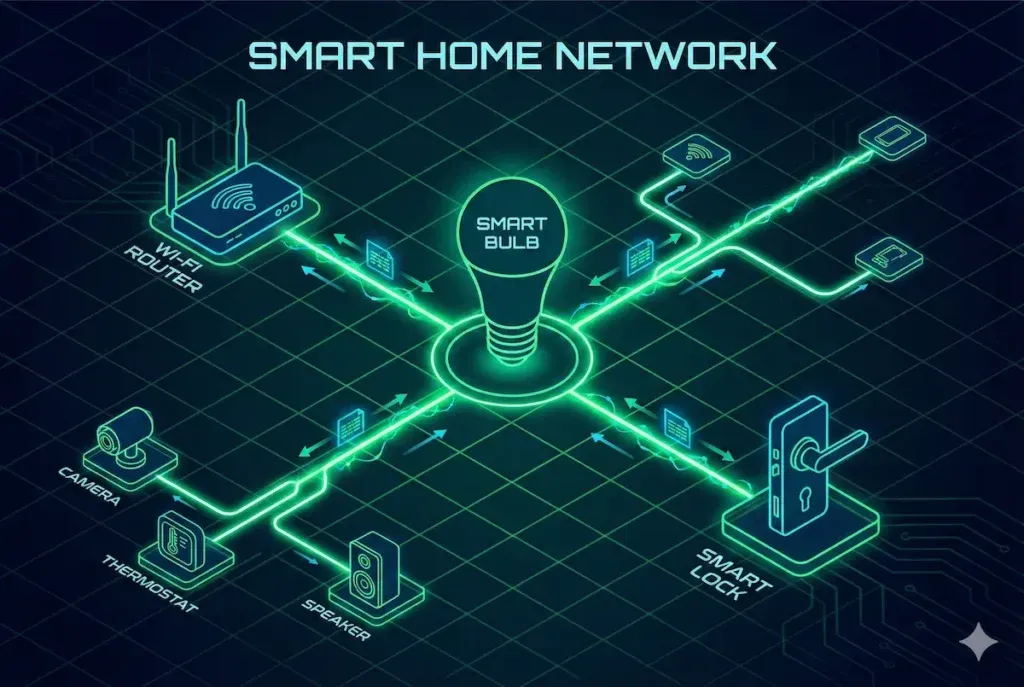
Visualizing the Thread Mesh: The Nanoleaf bulb (Center) acts as an active repeater, bridging the signal gap between your Hub and distant devices like smart locks.
3. Saving Your Eyes: Flicker and PWM
I am extremely sensitive to light flicker. Low-frequency flicker gives me migraines, even if I can’t consciously “see” it. Cheap manufacturers save money by dimming LEDs using low-frequency Pulse Width Modulation (PWM)—often around 400Hz. This causes eye strain and creates ugly banding lines when you try to record video with your smartphone.
Independent testing is what settles this, and someone has done it. The Hook Up put a batch of smart bulbs in front of a Hoppocolor flicker meter and reported the Nanoleaf as showing “very low flicker.” For scale, two Zigbee bulbs measured in the same round landed at 1.2kHz (Hue) and 1.8kHz (ERIA) — an order of magnitude above the ~400Hz band where budget drivers sit.
Nanoleaf publishes no PWM figure of its own, so treat the exact frequency as unknown; what the measured record supports is that this class of bulb stays clear of the low-frequency range IEEE 1789 flags as a risk. If you are a developer staring at screens all day, or filming in your room, that gap is the part worth paying for. Do not buy low-frequency generic bulbs.
4. Firmware Finesse: The Logarithmic Curve
You can tell the quality of a firmware team by how they code a fade transition. Lazy engineering uses “Linear Dimming.” If you set the brightness to 50%, the power drops to 50%. The problem is that human eyes perceive light non-linearly. A linear drop looks like nothing happened, and then the light suddenly drops off a cliff at the end.
Nanoleaf’s dimming behaves like a logarithmic curve — output mapped to human perception rather than to raw duty cycle. The public evidence for it shows up at the bottom of the range, where linear firmware falls apart: the same third-party round found the Nanoleaf dimming below one lumen instead of dropping off a cliff at the low end. That is the difference between code that just works and code that is polished.
Verdict: Infrastructure-Grade Gear
Is the Nanoleaf Matter Bulb perfect? No. The initial pairing process can still be finicky depending on whether you use Apple Home, Samsung SmartThings, or Google Home. (To be fair, this is often a platform issue, not a device issue).
But from a strictly hardware analysis perspective, this is infrastructure-grade gear. You are buying a robust Thread Router powered by a high-end Silicon Labs chip. This mirrors the finding in my Eve Energy Analysis: you aren’t paying for the plastic, but for the rock-solid connectivity. If you want a smart home that doesn’t require a weekly reboot, start investing in better silicon.
ReverseToBuild Rating:
-
Chipset Capability: ★★★★★ (Silicon Labs MG24 is the gold standard)
-
Network Stability: ★★★★★ (Excellent Thread implementation)
-
Light Quality: ★★★★☆ (Flicker-free high-frequency PWM)
-
Value: ★★★☆☆ (Expensive for a bulb, cheap for a router)